Free trial, unlock and restoring a purchase
How the 14-day free trial works, what one purchase covers, what happens to your data if the trial ends, and how to restore a purchase on a new device.
Enoughly is free to use, with every feature, for 14 days. After that, a single one-time purchase unlocks it for good. There's no subscription and no account to create.
The free trial
The trial starts the day you first download Enoughly and lasts 14 days. On Apple devices, deleting and reinstalling the app doesn't restart it.
In the last week, the Dashboard shows how many days are left, with an Unlock button.

You can also see the days left any time in Settings, App (on iPhone, tap More, then Settings).
Unlock Enoughly
Tap Unlock on the Dashboard, or go to Settings, App and tap Unlock Enoughly…
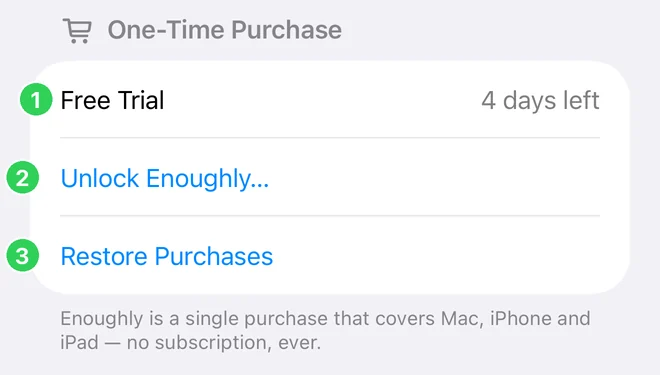
1 Days left in your trial.
2 Unlock.
3 Restore a purchase you've already made.Tap Unlock Enoughly. The button shows the price in your country.
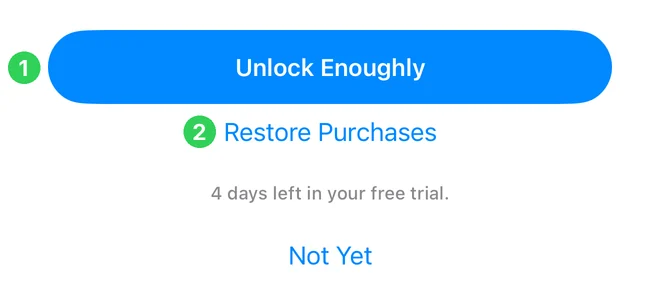
1 Buy the unlock.
2 Already bought it? Restore it here.Confirm the purchase with the App Store. Enoughly unlocks straight away.


What one purchase covers: Enoughly on your Mac, iPhone and iPad, on every device signed in to the same Apple Account.
If the trial ends
When the trial is over and nothing has been bought, Enoughly shows Your free trial has ended instead of your data. Nothing is deleted. You can still save your data from that screen: Export CSV… for a spreadsheet of your transactions, or Export Backup… for an encrypted copy of everything.

Buying, or restoring a purchase you've made, unlocks it again on the spot, with everything just as you left it.
Restore a purchase
If you bought Enoughly on another device, it usually unlocks on its own within a moment of opening it. If it doesn't, or you've set up a new device:
Check you're signed in to the App Store with the Apple Account that bought Enoughly.
In Enoughly, go to Settings, App and tap Restore Purchases. It's also on the unlock screen.
Restoring finds purchases made with the same Apple Account only.
Moving your data is separate
A purchase unlocks the app; it doesn't bring your data with it. On Apple devices signed in to the same iCloud account, your data syncs on its own. See Backups, sync and switching devices.
Refunds
Apple handles every payment, so refunds go through Apple at reportaproblem.apple.com. If a purchase isn't being found and you've tried the steps above, email us with roughly when you bought it.
Still stuck?
Tell us your device (Mac, iPhone or iPad) and what you were trying to do. A person reads every email.
Email support@nouraish.comOr browse the quick answers on the support page.