 Enoughly

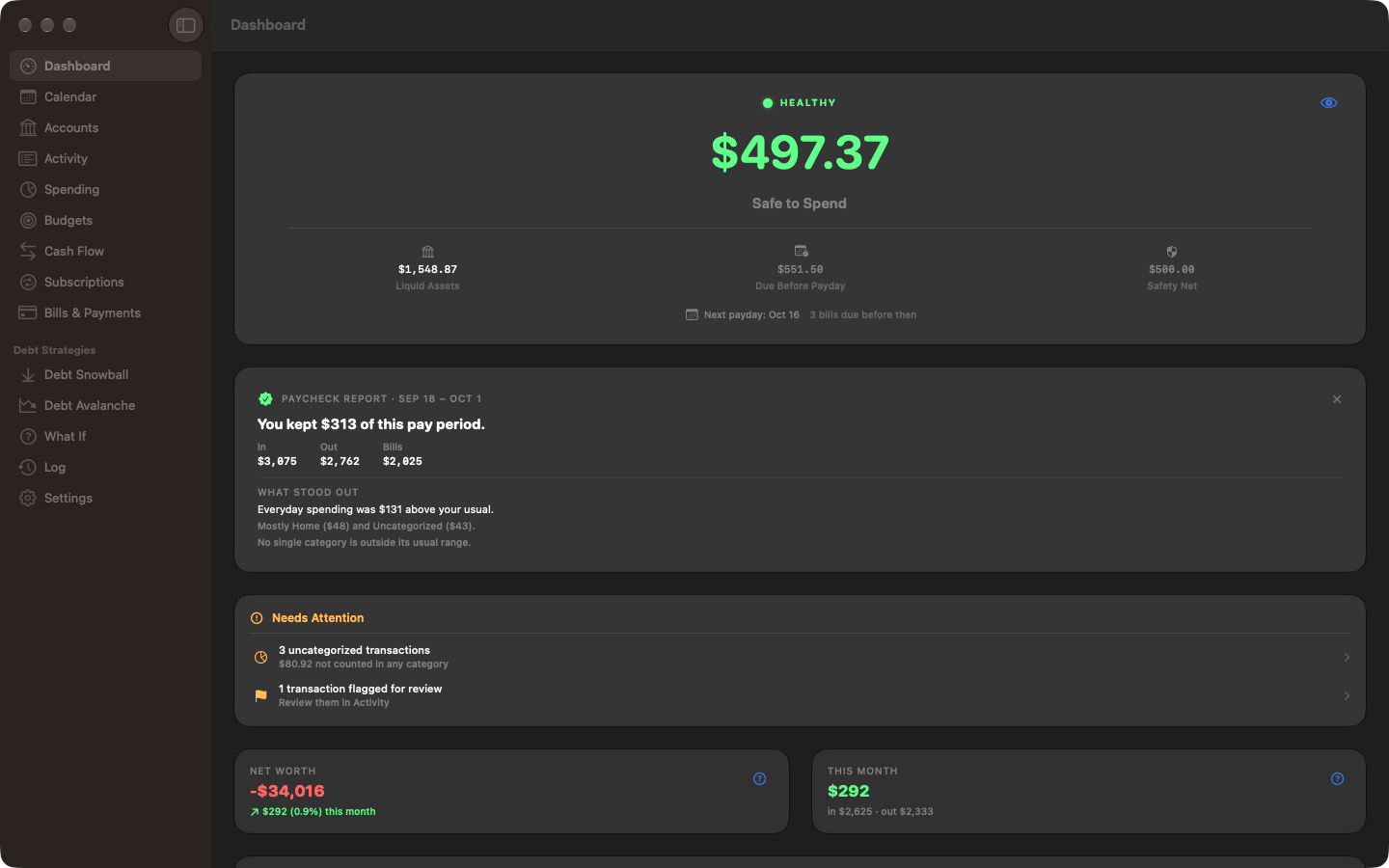
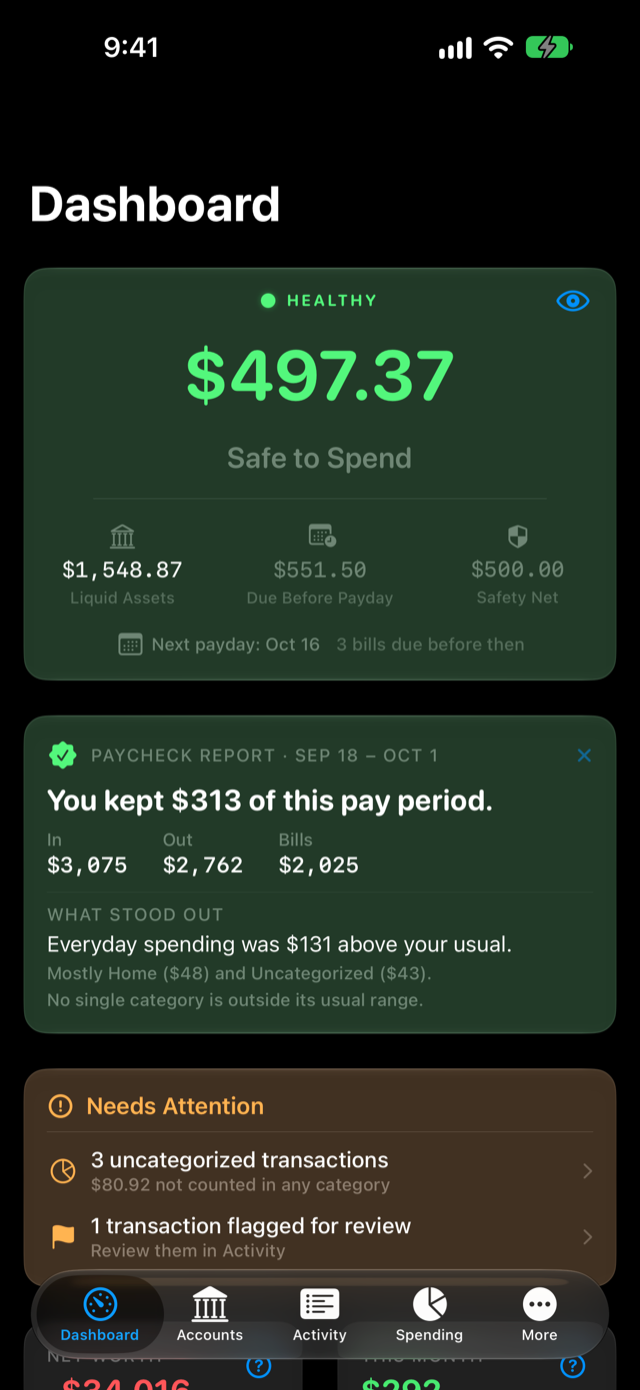
One honest number
What's truly spendable after the bills due before your next payday, and your safety net.
Budgets that refill every payday
Envelopes reset when you're paid, not on the 1st of the month.
No bank linking
Import the file your bank already exports. Your login never leaves your bank.
Built around your paycheck
The same app on Mac, iPhone and iPad, synced through your own iCloud. On Android too, with an encrypted backup file to carry your data between Android and Apple devices.
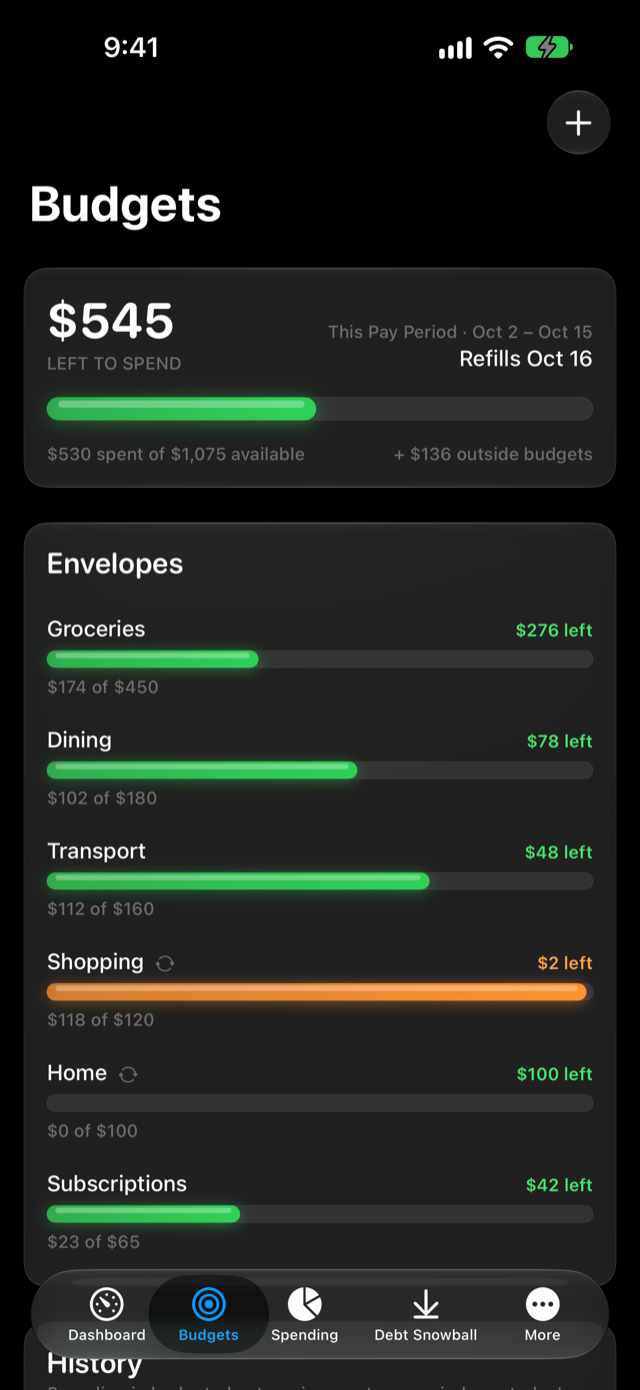
Envelopes that refill every payday
Give each category an allowance that resets when you're paid. Unspent money can roll forward, so annual fees and car repairs build a fund instead of blowing a month. Enoughly can draft your envelopes from your real spending.
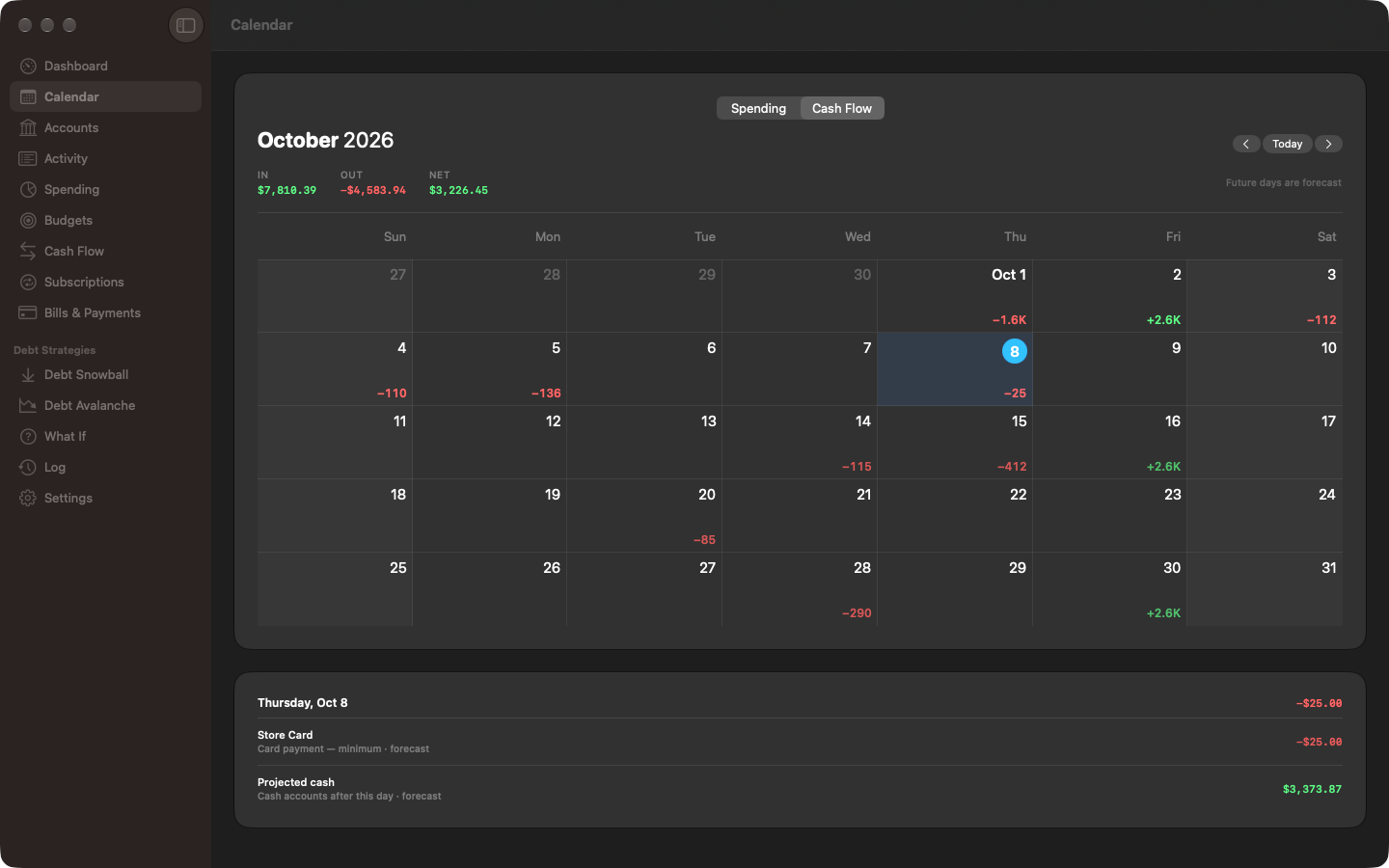
Your month at a glance
See what went out each day, or switch to cash flow: paydays in, bills out, and what's left on any day you pick, with the days ahead forecast.
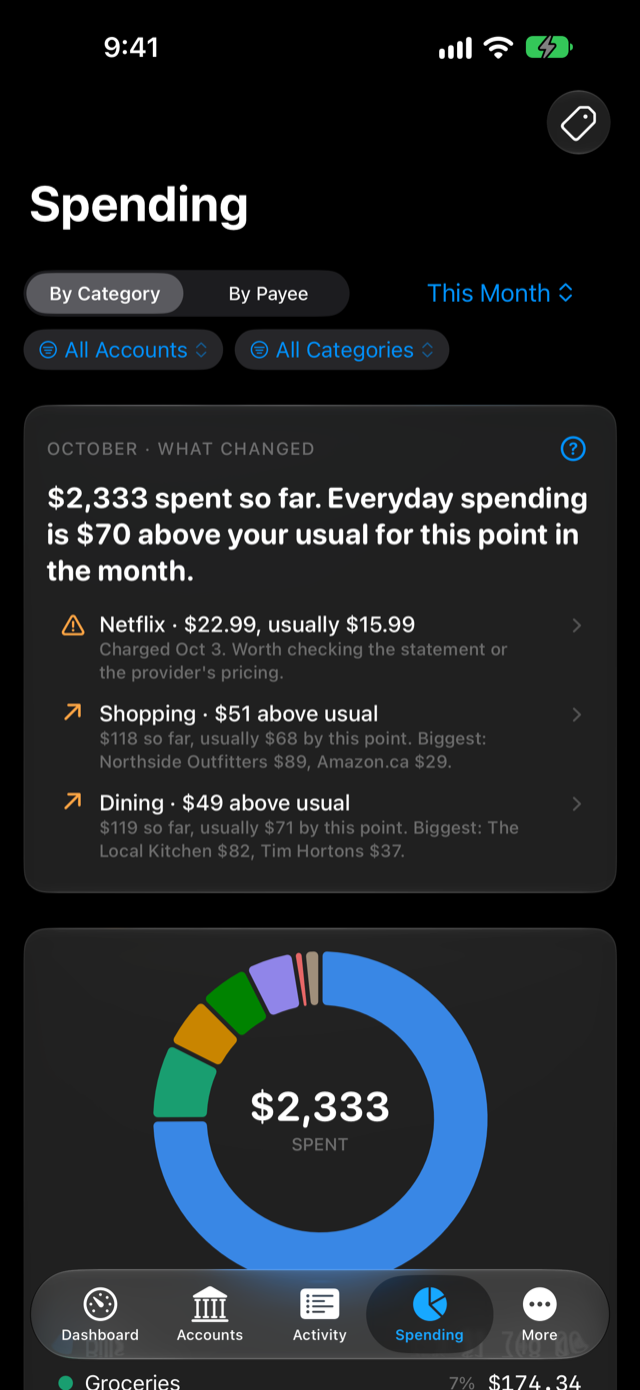
See where the money goes
Every category, payee and account, for any range of dates. The What Changed card compares the month with your own usual and points at what stood out, like a subscription that quietly raised its price.
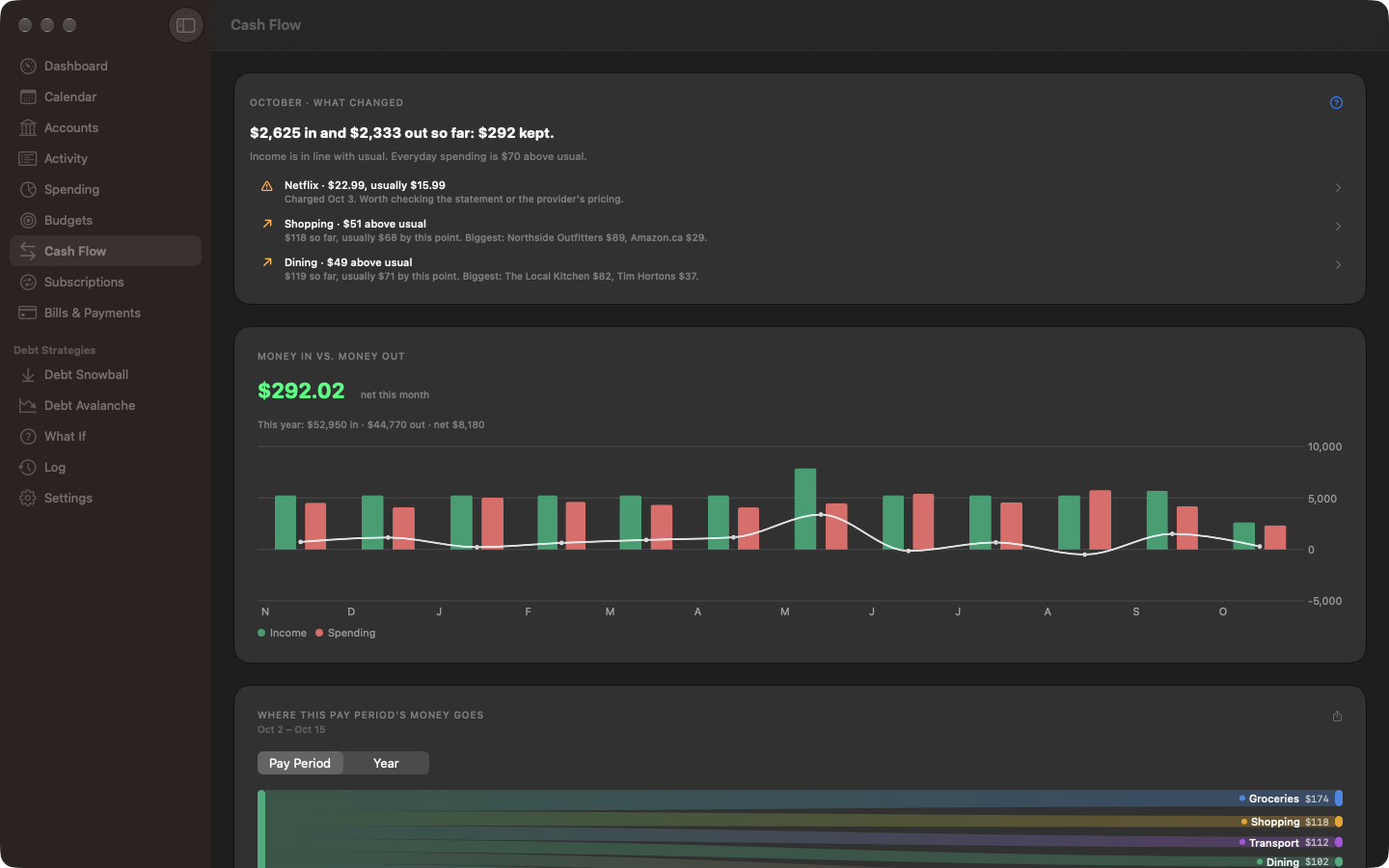
Follow the cash flow
What came in, what went out, and what you kept, month by month and pay period by pay period, down to the category each dollar left through.
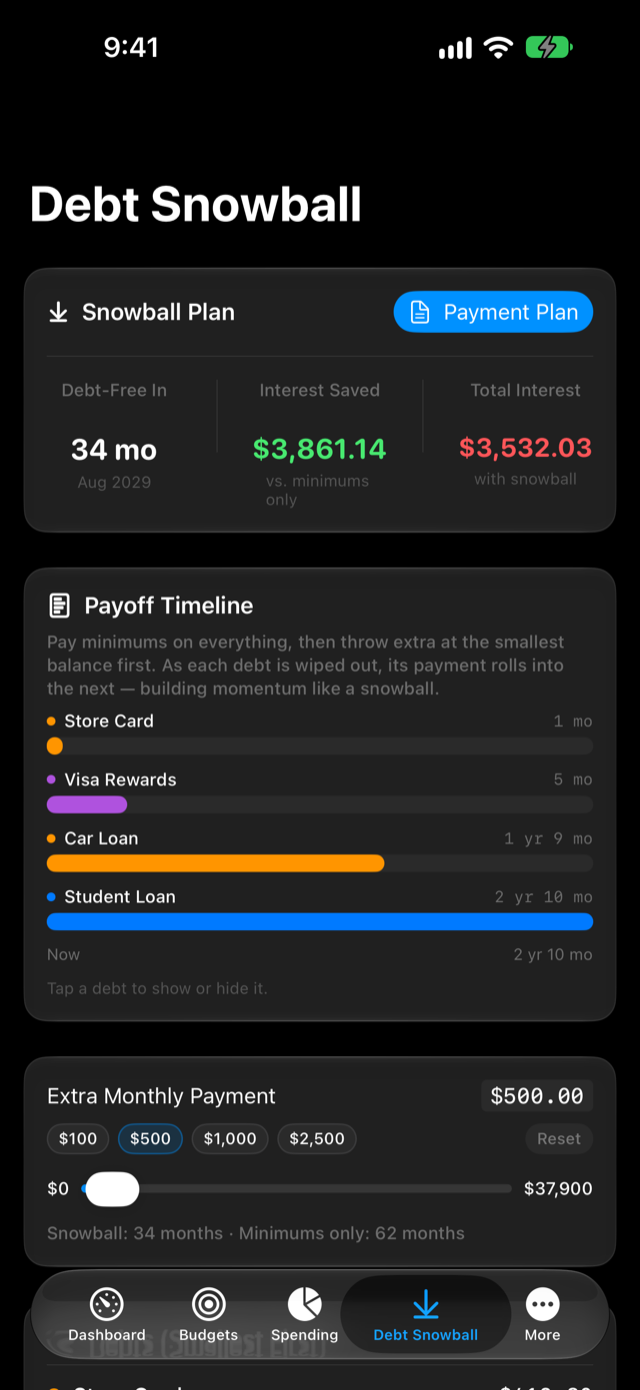
A real plan out of debt
Snowball or avalanche, with your debt-free date and the interest you save. Try an extra payment and watch the date move, then print a per-payday plan to stick on the fridge.
Also included
No tiers, no add-ons. Everything comes with the one purchase.
Import from a screenshot
Bank makes exporting a chore? Paste a screenshot; it's read on your device.
Bill payments spotted
Imports recognise loan payments and split the interest out for you.
Overdraft warnings
Each account is run 30 days ahead, so one can't hide behind another.
Cards that plan themselves
Statement-aware forecasts, and 0% offers that end on their own.
The What If room
A car, a mortgage, a lump sum: see the effect before you sign.
Widgets and menu bar
Your number at a glance, with a discreet option that shows none.
The Log
Every balance change explained, so no number is a mystery.
31 currencies
Accounts and bills in their own currency, totals converted daily.